
/ Product Updates /
Check out what's new in Product Studio
We'll share updates every week, including new features, new videos, and ways you can use Product Studio in your day-to-day.
.png)
Video Guides
What's new
3 new since your last visit
Skills, charts, and work tree read and write updates
.gif)
- Skills: Save your go-to workflows, customer voice analysis, bug triage, weekly reports, daily briefings, and the agent handles them on its own. Set up skills.
- Charts: Get charts and visualizations by simply asking for what you are looking for. Product Studio will find and visualize answers for you. Ask away.
- Safer Jira writes: Edit a Jira ticket and see every change before it goes in, the latest in Jira, make surgical text edits instead of full rewrites, see a full difference breakdown, and a final human-in-the-loop approval step
- Work tree automatically adopts your structure: Draft tickets in the exact shape of your Jira or ADO project, so the work you do in Product Studio lines up with your defined structures and custom fields.
- Commenter role: Invite a stakeholder to view and comment on a session without letting them change the work or prompt the assistant. Use Invite people in the session header to set a role.
Smarter search, more collaboration, and MCPs!
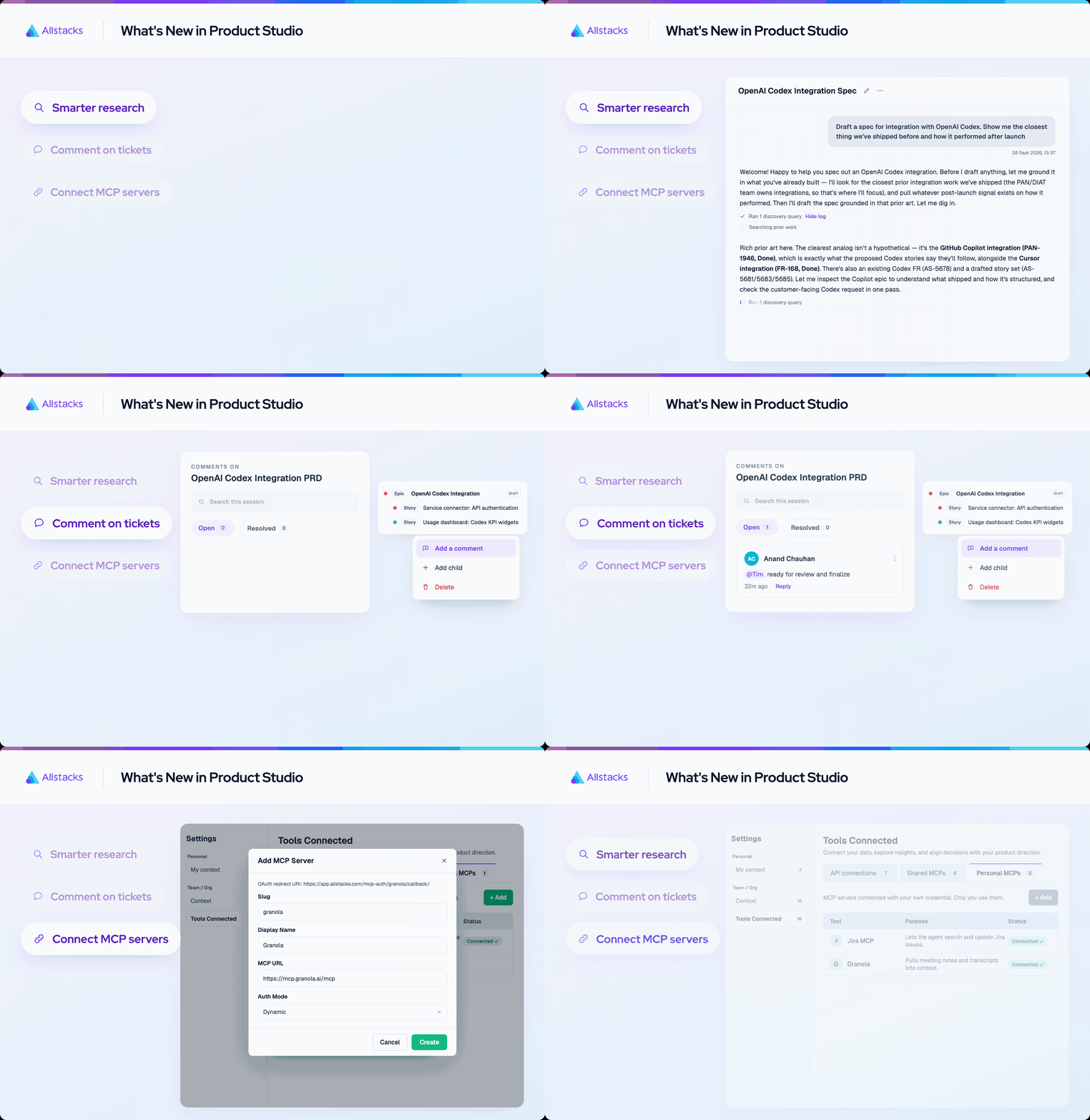
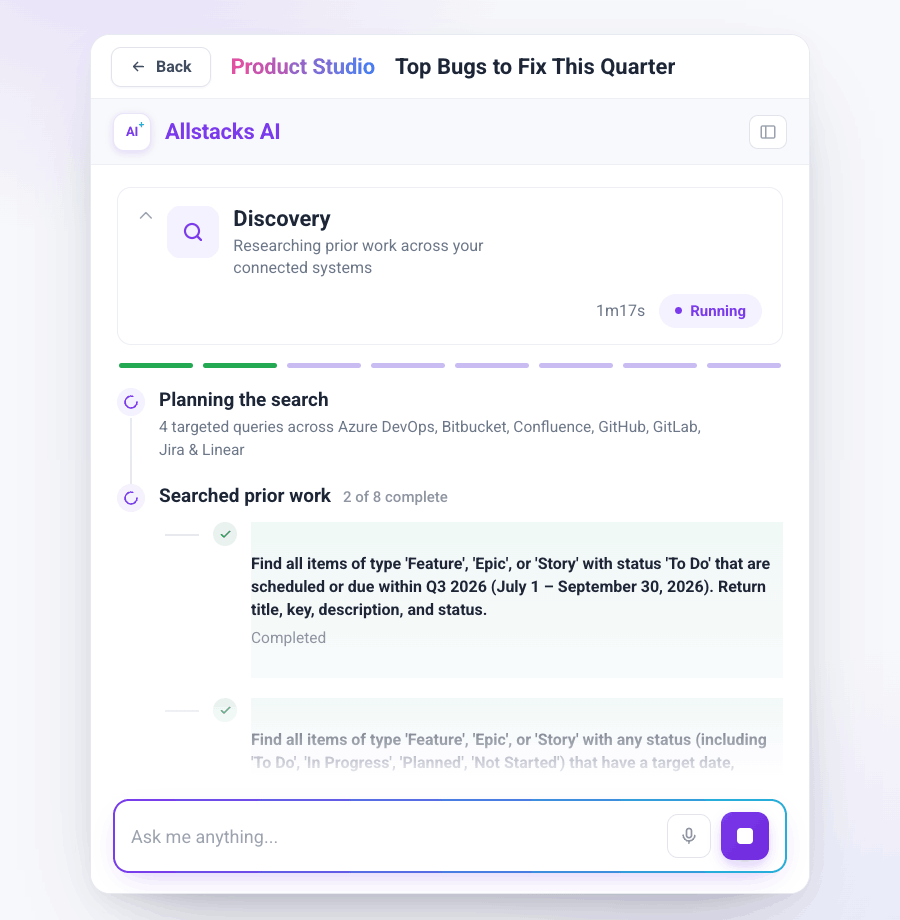
Smarter, more transparent searches: Product Studio researches out loud for you to follow along.
Comment on specific tickets: Get quick reviews on your epics and stories before publishing.
Custom MCP servers: Connect any MCP to your Product Studio account. Set it up for personal or org use.
Comment for shared work

+ A new **Comments tab** in the left sidebar, with a count of what is open
+ Comment on a session and @mention a teammate to pull them in
+ Mark an item as blocking, then resolve the comment once it is handled
New Prompts to Test
Our users are trying new ways to improve their development cycles. Here's a handful of things you can try next, inspired by peers.
- Groom and prioritize the backlog
- “Give me a prioritized work plan for the next sprint, sized against full scope and MVP”
- Clean up your Jira or Azure DevOps boards
- “Look at the <project key> project in Jira. Show me how the work is structured today, where the hierarchy breaks down, and where the structure could be improved. Then, let’s work together to clean it up.”
- Brainstorm a new feature or app
- “What are customers asking for based on our tracker data? Group the themes and cite example tickets.”
- “Brainstorm a feature/app that <insert what you want to users to do>. Research alternatives in the market now and the gaps they have.”
- Create a PRD and specs directly from a vision doc
- “Draft a requirements document from the attached doc. Research how teams are solving this problem today, what already exists in the market, and where the real gaps are to identify potential differentiators. Then translate the requirements into detailed specifications and define the MVP scope.”
- Investigate spec-intent drift through development
- “The effort for <insert project> is underway. Is it healthy, where's the risk, and has the implementation drifted from the current spec? For any drift, tell me whether it's an improvement or a problem.”
Edit Docs
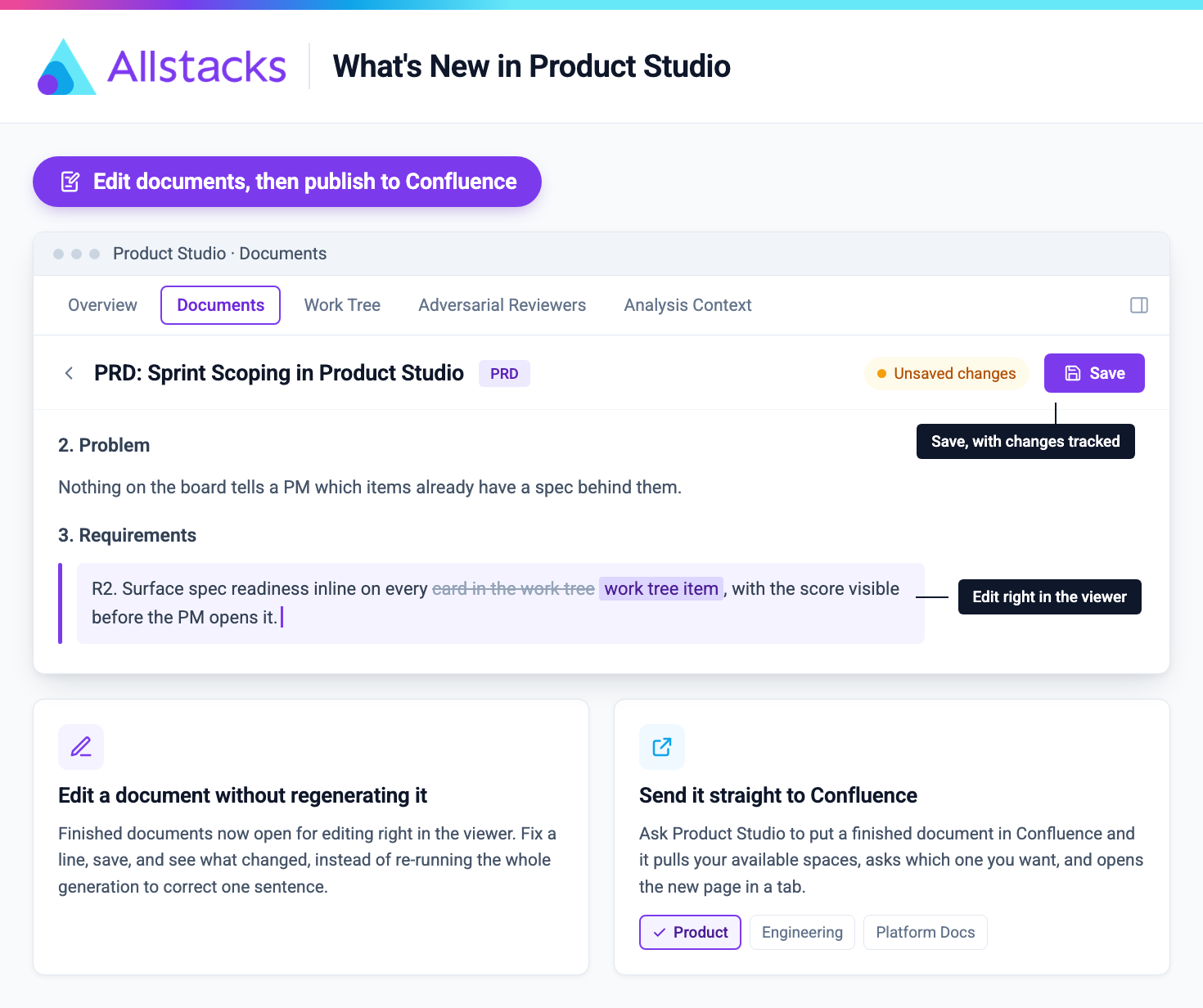
Generate Docs
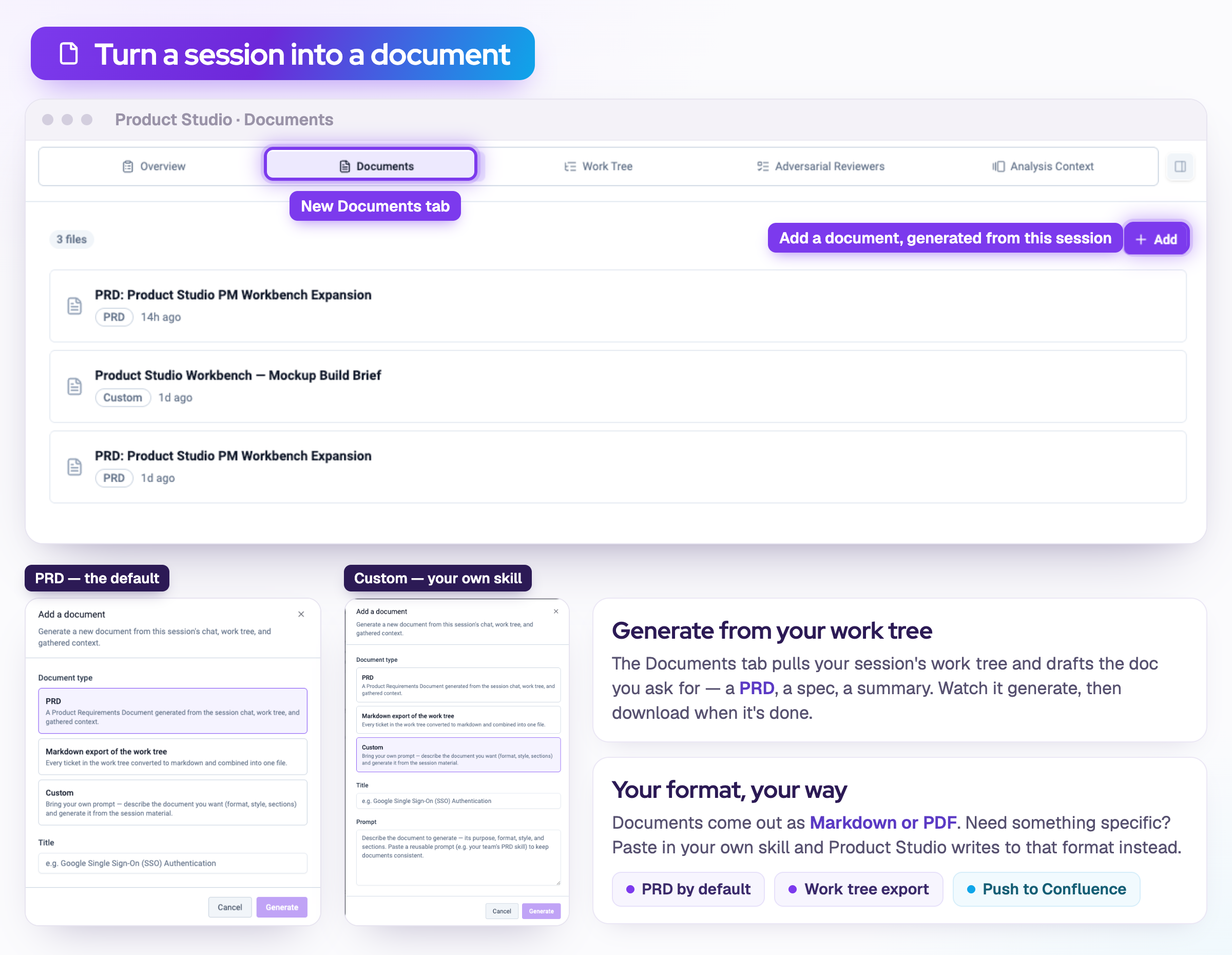
- Generate documents from your session. Drafts the doc you ask for: a PRD, a spec, an executive summary. Watch it generate, then download it or publish it to Confluence.
- Your format, your way. Documents follow your own skills and formats.
Redesigned Chat
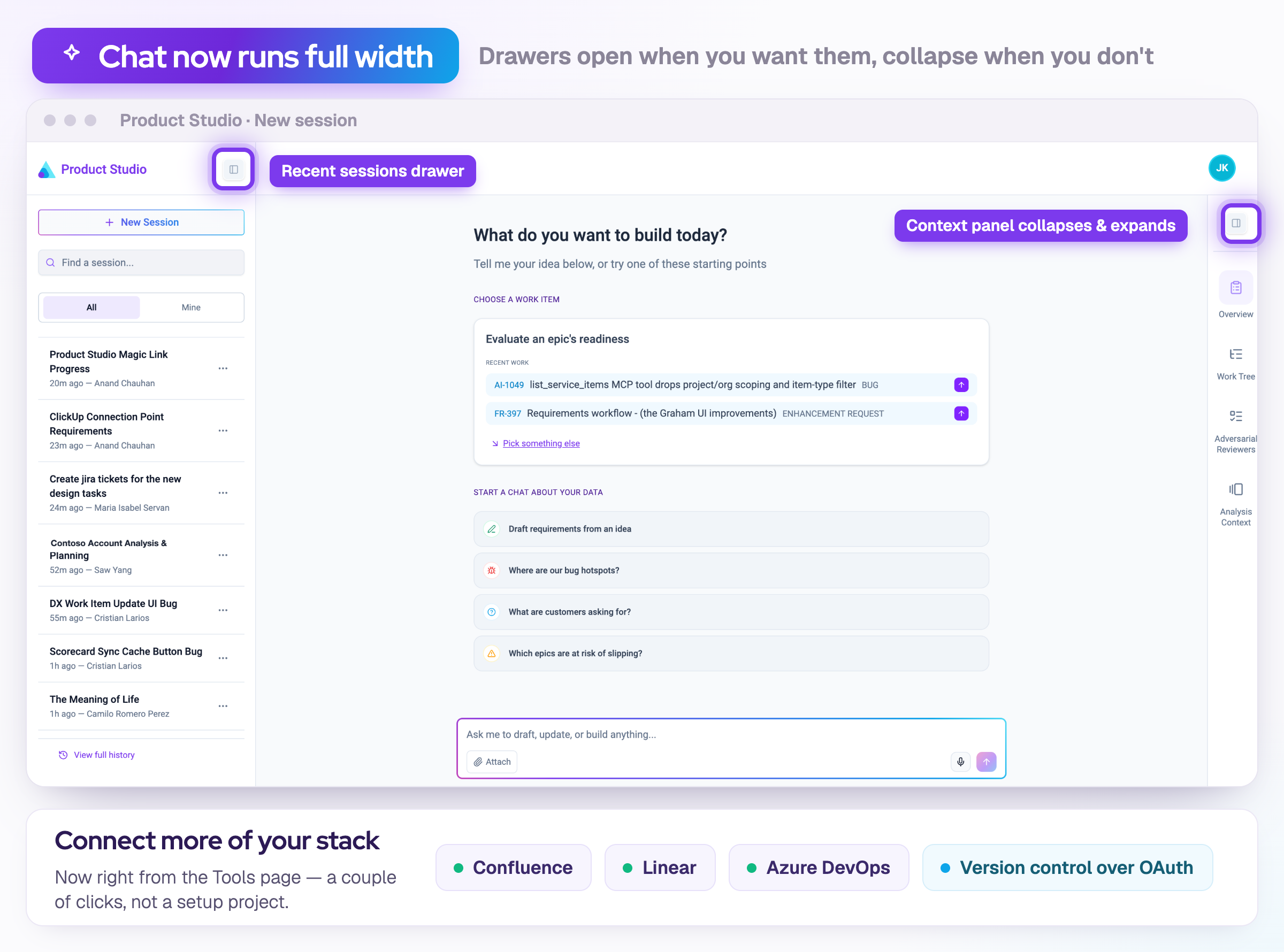
- Redesign - Chat now runs full width. Recent sessions live in a left drawer you open when you want them, and the context panel on the right collapses down and expands back when you need it.
- Connect more of your stack. Confluence, Linear, and Azure DevOps now connect right from the Tools page, and version control connects over OAuth.
Set org rules
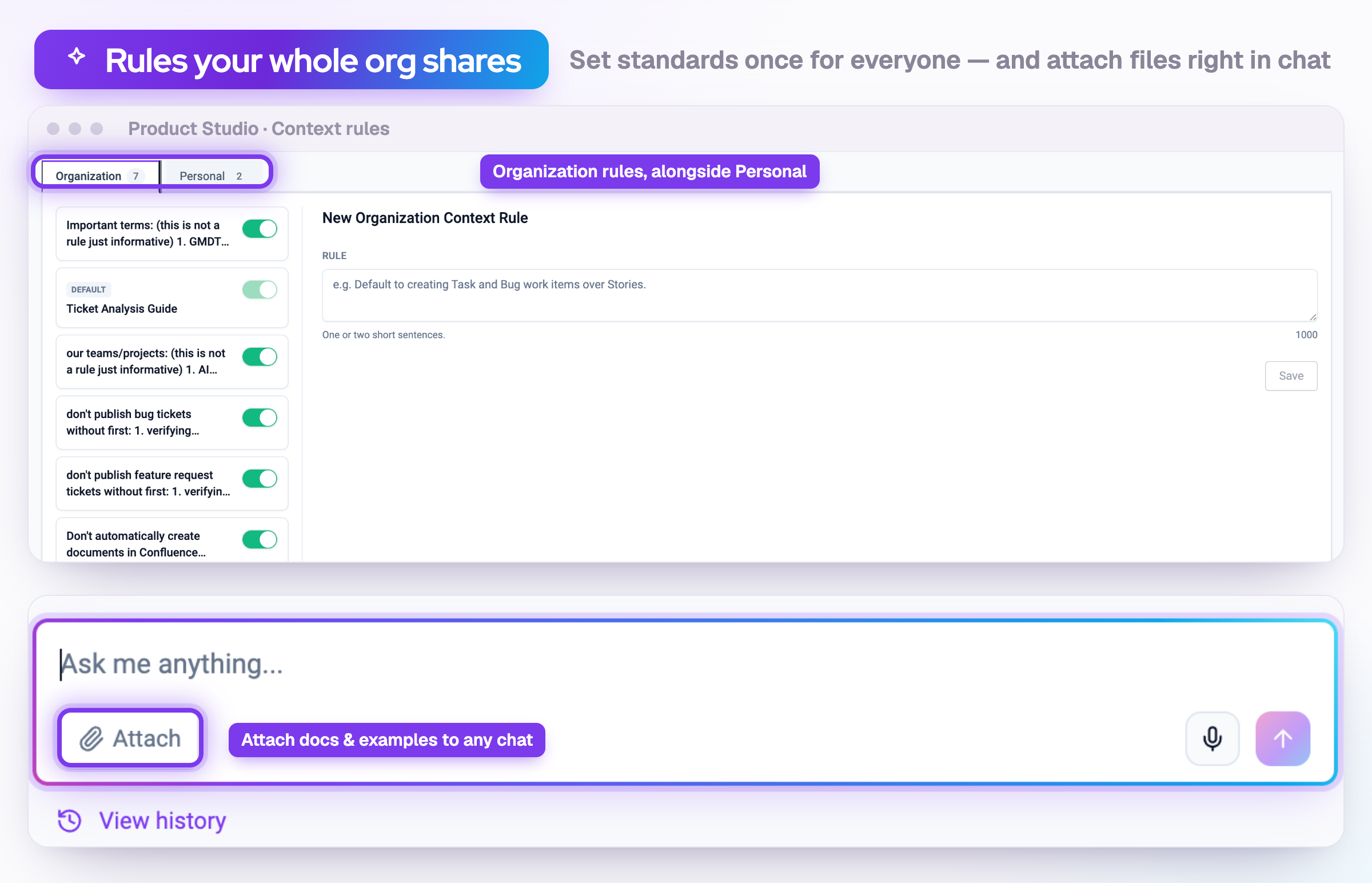
- Set rules your whole org shares. Add a rule once, and it applies to everyone's sessions across your org, right alongside your own Personal rules, with a toggle to turn each one on or off. The built-in Ticket Analysis Guide now lives here as a default org rule you can see and tune.
- Attach files straight into chat. Upload, drag and drop, or paste docs and examples right into a Product Studio chat. Hand it a PRD or a spec, and it works from your material, not just what you type.
Your setup moved
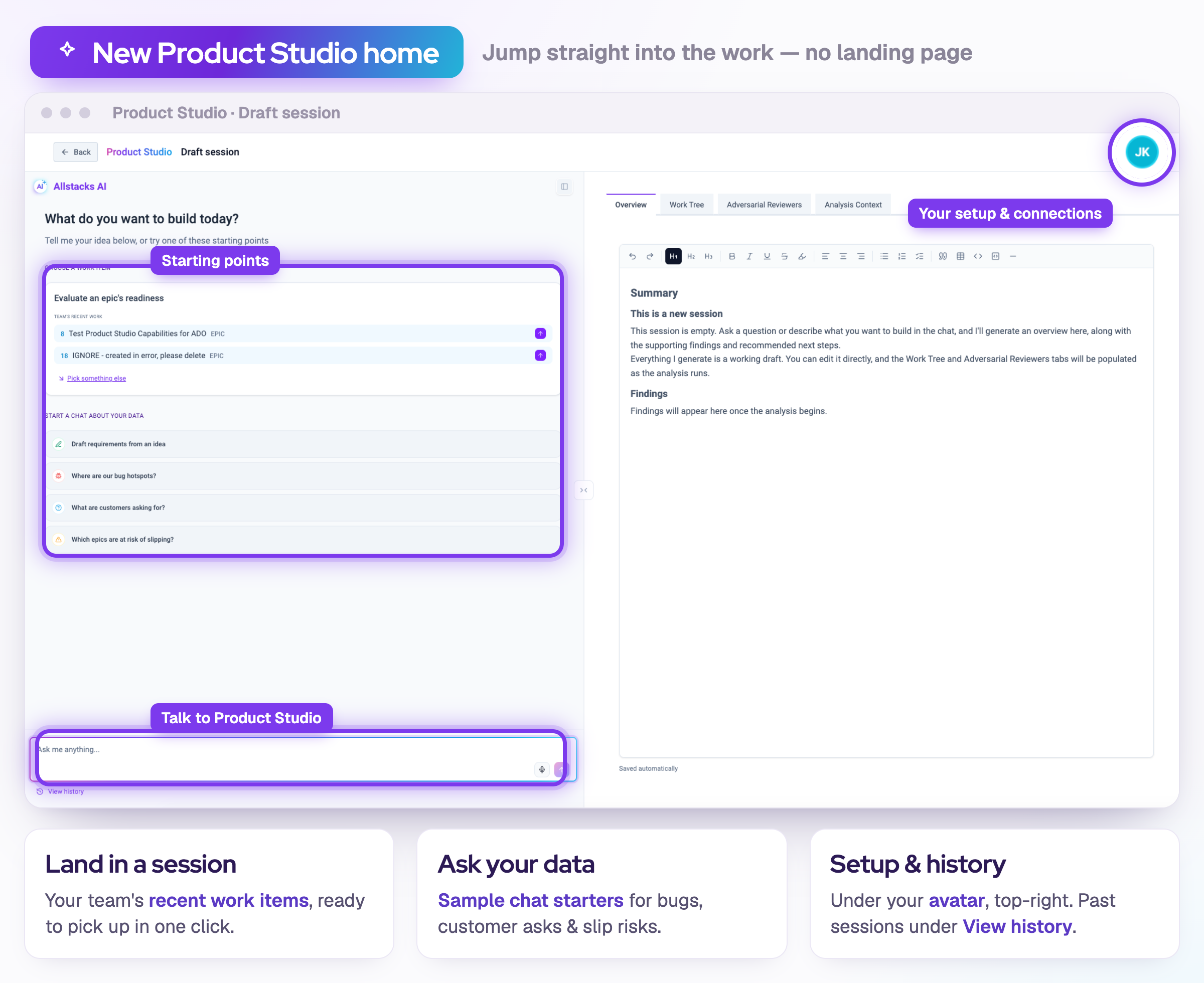
- Jump straight into the work. The home page is gone. You now land right in a session, with your team's recent work items and a set of starter prompts ready to go so you can pick up or kick off in a click. Your past sessions live under View history, bottom-left.
- Your setup moved to one place. Adversarial reviewer templates, personal rules, and connected tools now live in the menu under your avatar, top-right. There's a new Manage connections page too, so hooking up Jira or Azure DevOps is a quick trip.
Try this prompt
- Ask what to fix first. Ask Product Studio to help prioritize your bugs this month. It can rank them by customer impact, severity, and recency, and with improved prompt discovery tools, results come back faster than ever.
- A sharper plan. An upgraded planning engine works through your backlog like a good PM would. It asks the right questions first, then builds the plan the way you'd think about it.
- Try this prompt: Look at our features currently being worked on. Given those planned features, which open bugs or customer issues should we prioritize this month? Rank them by customer impact, severity, and recency, and add references to each recommendation. Then go ahead and put together the plan.
Refreshed Homepage
- Refreshed homepage: Start sessions faster with simpler options
- Smarter search: Query beyond exact keywords, including dates and broader bodies of work.
- File uploads for adversarial reviewers: Attach docs to enhance your agent reviewers using your unique standards.
- Voice dictation: Talk directly in Product Studio. It captures and structures it for you.
- Jira sync improvements: Real-time sync with bug fixes.
Three modes
- Know what mode you're building in. Product Studio now has three modes you switch from the header. Explore is read-only, so you can dig through the work tree and context without changing a thing. Draft lets you shape and edit. Publish opens up the full set, including pushing to Jira. It remembers the mode you were in when you come back.
- Sessions sync the moment they open. Your work items pull in automatically, and Jira can grab related child issues too, so your work tree is complete without you fetching anything.
- Guided Jira setup right where you publish. If your Jira connection isn't ready when you go to publish, a setup flow walks you through it in context. No hunting through settings.
Updates
- Cleaner formatting when you publish specs to Jira, Confluence, and other target systems.
- Better name matching so mismatched usernames resolve to the right person and unify across your tools.
- Faster session overview with a summary and open questions in seconds.
/ get started /